What is GLN?
A GLN stands for Global Location Number and is an internationally unique identification number that is especially useful for larger companies with multiple locations or entities. By giving each location or entity a separate GLN, e-invoices can be sent to the correct location/entity.
The GLN has a Peppol Id that starts with '0088'.
How do I add a GLN?
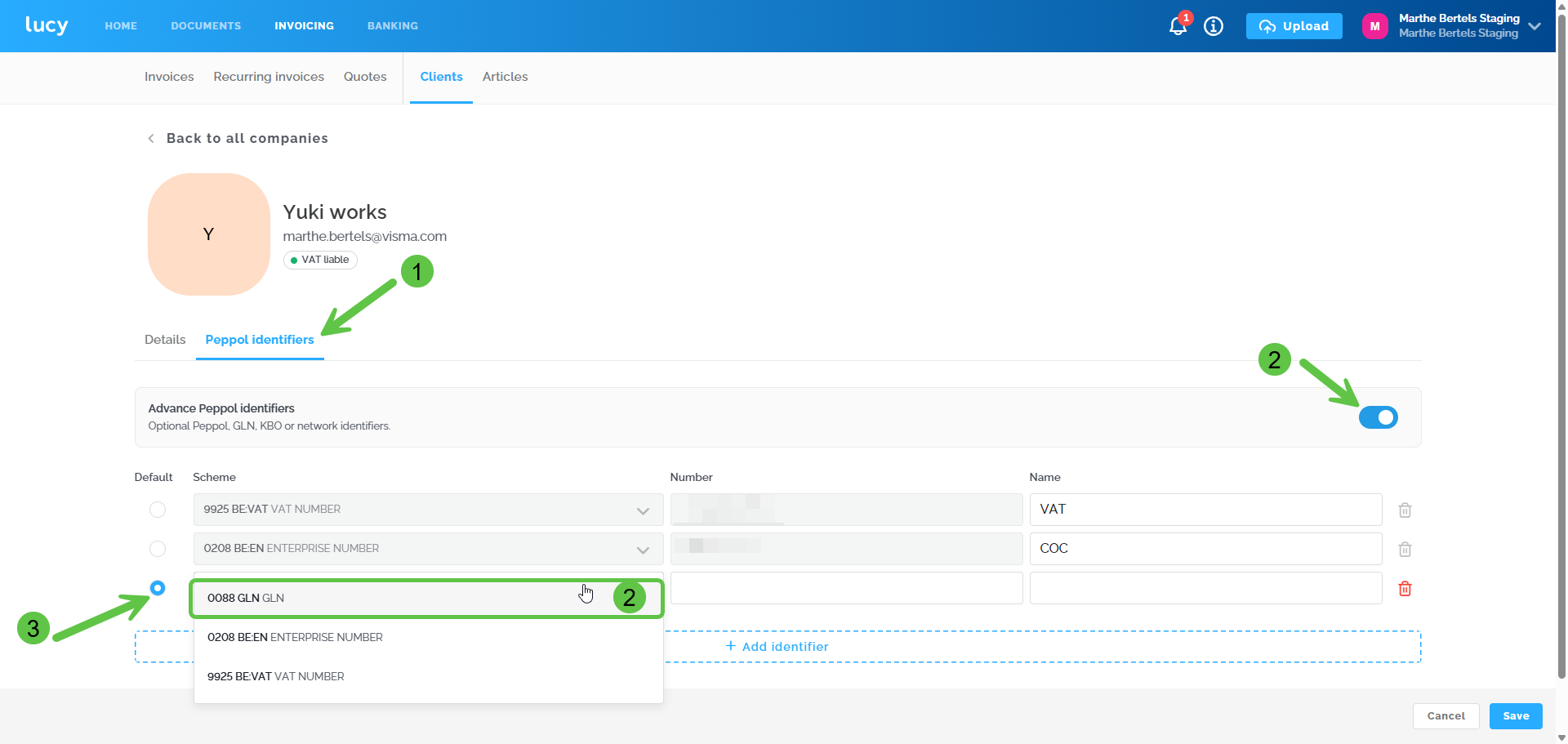
Step 1: Create a new customer or navigate to the existing customer card.
- A detailed explanation on how to add a new customer can be found here.
- Do you want to add a GLN to an existing customer? Navigate to the customer card and click on 'Peppol identifiers'.
Step 2: Configure Advance Peppol Indicators
Turn on the toggle (switch) for 'Advanced Peppol indicators'. By activating this toggle, you can add various Peppol IDs for the customer (Peppol, GLN, CBE, or network identifiers).
You will notice that the Peppol ID based on the VAT number and company number is automatically filled in, based on previously entered company information. You still need to add the GLN number yourself.
Add the GLN number:
Scheme: Select ID '0088'.
Number: The GLN number is a 13 or 14-digit number; enter it here.
Name: Give this ID a name of your choice, such as 'GLN'.
Step 3: Choose a default Peppol ID for this customer
You can only send an invoice to one Peppol ID at a time. (!) When creating a new customer, you can first add all the desired Peppol IDs. Only after saving the customer can you navigate to the customer card to select the default Peppol ID there. From now on, the sales invoice for this customer will be sent to this ID if 'Peppol' is selected as the sending method.