As an entrepreneur, you can easily and independently register and sign up with Lucy through the self-onboarding process, without needing assistance from your accountant.
Note: You can also register on Lucy if you are not VAT-liable, as long as you have a VAT number or a business registration number. With Lucy, you can still send invoices via email.
You can register for free for 30 days by simply following the steps on the Lucy website.
Step 1: Enter your personal details and choose your password.
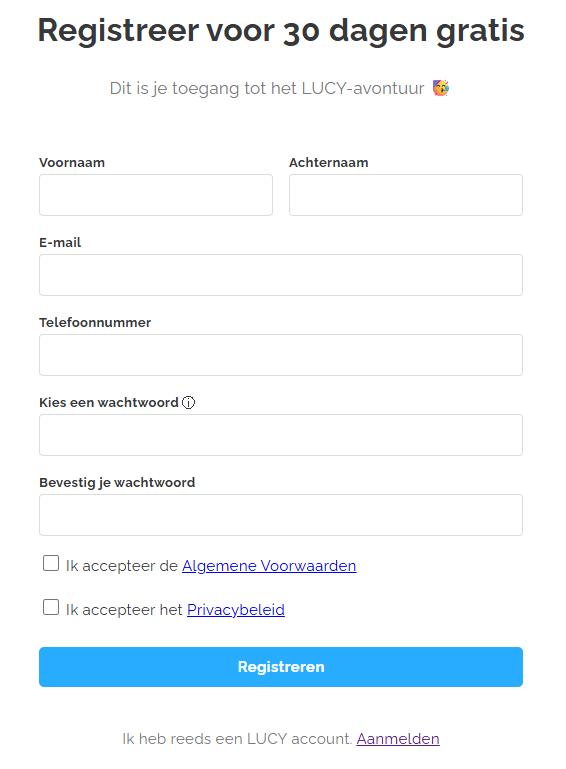
Step 2: Enter your company details
Search for your company by name or VAT number.
The company information will be filled in automatically
Step 3: Enter your accountant’s information
Search for your accountant: Enter your accountant’s name or VAT number.
- If your accountant already uses Lucy: your accountant will receive a notification and can immediately add your company to their portal.
- If your accountant is not yet a Lucy user, you will see the following message: 'Your accountant is currently not verified on LUCY. You'll be the first to know when your accountant registers on LUCY.' Your accountant will receive an automatic email stating that you are using Lucy. However, this does not prevent you from already setting up the integrations and configurations needed to create your invoices and send documents to your accountant (accounting package).
- Important: If you accidentally selected the wrong accountant, you cannot change it yourself. In that case, contact support for assistance.
By providing your accountant’s details, you can send invoices directly to them after registration. You can also choose to skip this step and enter the accountant’s details later.
Step 4: Complete the self-onboarding process and log in
- After registering, you will automatically receive a welcome email from Lucy.
- When logging into your personal Lucy environment, you can take a self-guided tour to get acquainted with Lucy and its available features.
- Important: you can set up the integration with your accounting software yourself. Once you have designated your accountant, you can no longer do it yourself. At that point, your accountant can do it for you.
Activating your Peppol connection
The registration of your company in our software does not automatically activate your connection to the Peppol network. To send and receive electronic invoices, you must initiate this service manually to ensure the security of your digital identity.
How to activate Peppol?
The activation is simple and can be completed in just a few steps:
- Log in to your account and go to Settings.
- Open the Peppol tab
- Choose your options: Activate the functions to Receive and/or Send invoices via the network.
- Verify your identity: To finalize the connection, secure authentication via the itsme app is required.
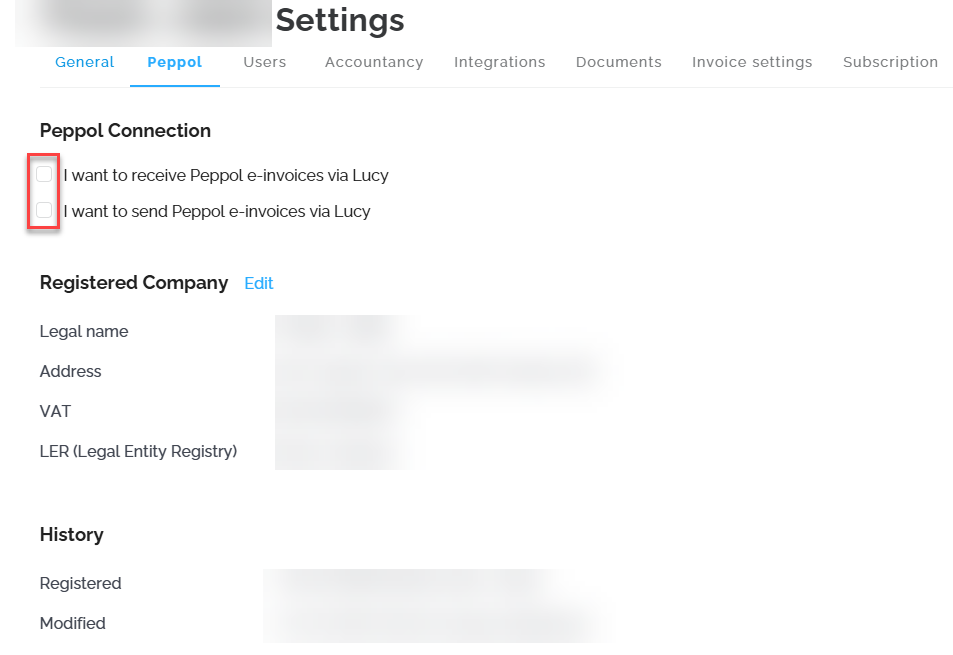
Once this step is validated, your dossier will be officially connected to the network, and you can fully benefit from electronic invoicing.
Currently, there is no alternative method for identification. If you do not have access to Itsme, your accountant—once designated—can complete your Peppol registration via Lucy on your behalf.
The information on this tab is managed in real-time by Storecove (our Access Point). The status you see is the actual status on the Peppol network.