On this page we will discuss the following questions:
Is it possible for a customer to log in to multiple companies using just one login?
The entrepreneur’s documents are not coming through to the accounting software via Lucy. What could be a possible cause of this?
Why do I receive the error message ‘customer cannot be linked’?
How can I unlink a customer from my portal or remove them from my customer list?
- My clients register on Lucy and designate me as their accountant, but I still do not have access to Lucy.
Is it possible for a customer to log in to multiple companies using just one login?
- In Lucy, it is possible for a customer to log in to multiple companies with a single login. In this case, you must create the contact person for all companies using the same email address. You will only need to invite the entrepreneur once. Once the entrepreneur has registered on Lucy using the invitation email, they will have access to all the assigned domains.
The entrepreneur’s documents are not coming through to the accounting software via Lucy. What could be a possible cause of this?
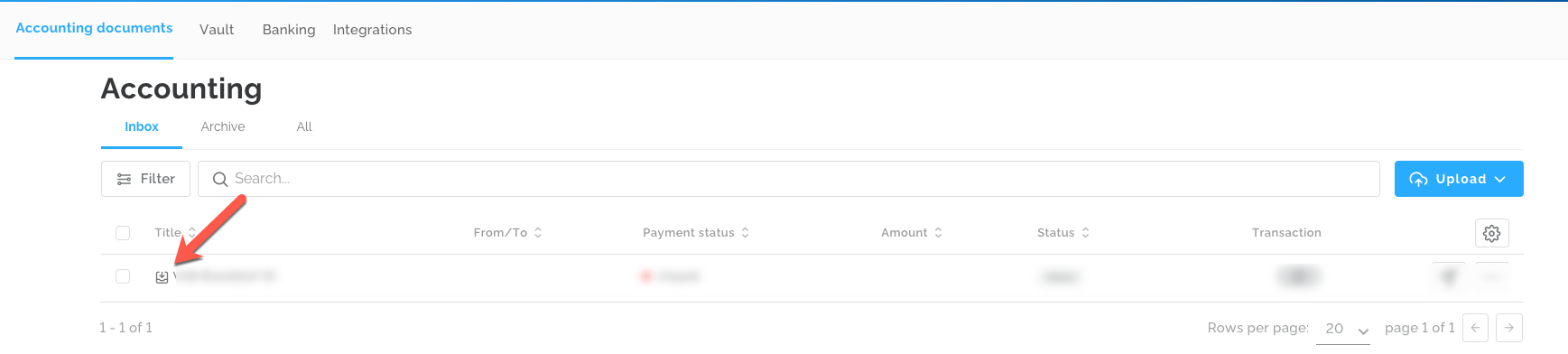
- If an integration has been set up between Lucy and the accounting software, but the documents still do not appear, this may be caused by the document type not being defined in Lucy. You can check whether the document type has been recognized by looking at the icon shown below. For purchase invoices, a downward arrow will appear, and for sales invoices, an upward arrow.
If this icon is not visible, you will need to manually specify the document type in order for the invoice to be transferred to the accounting software.
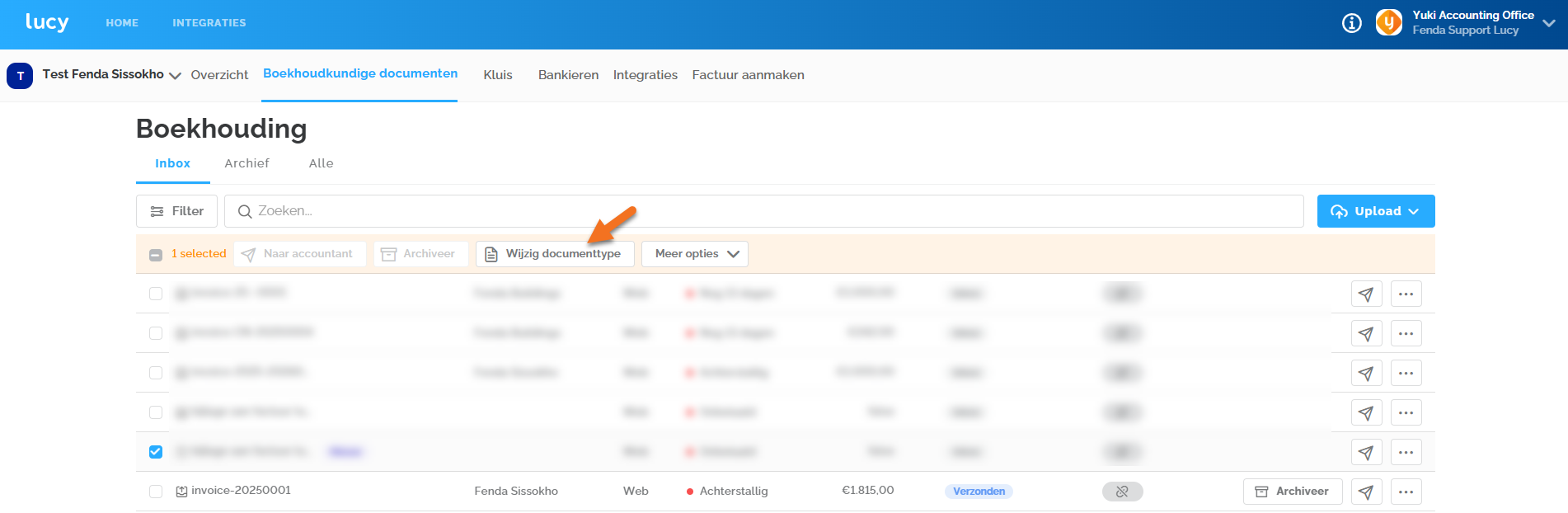
As an accountant, you have the option to assign the correct type to a document from the ‘Accounting Documents’ overview. You can select the document and make the adjustment using the ‘Change Document Type’ button.
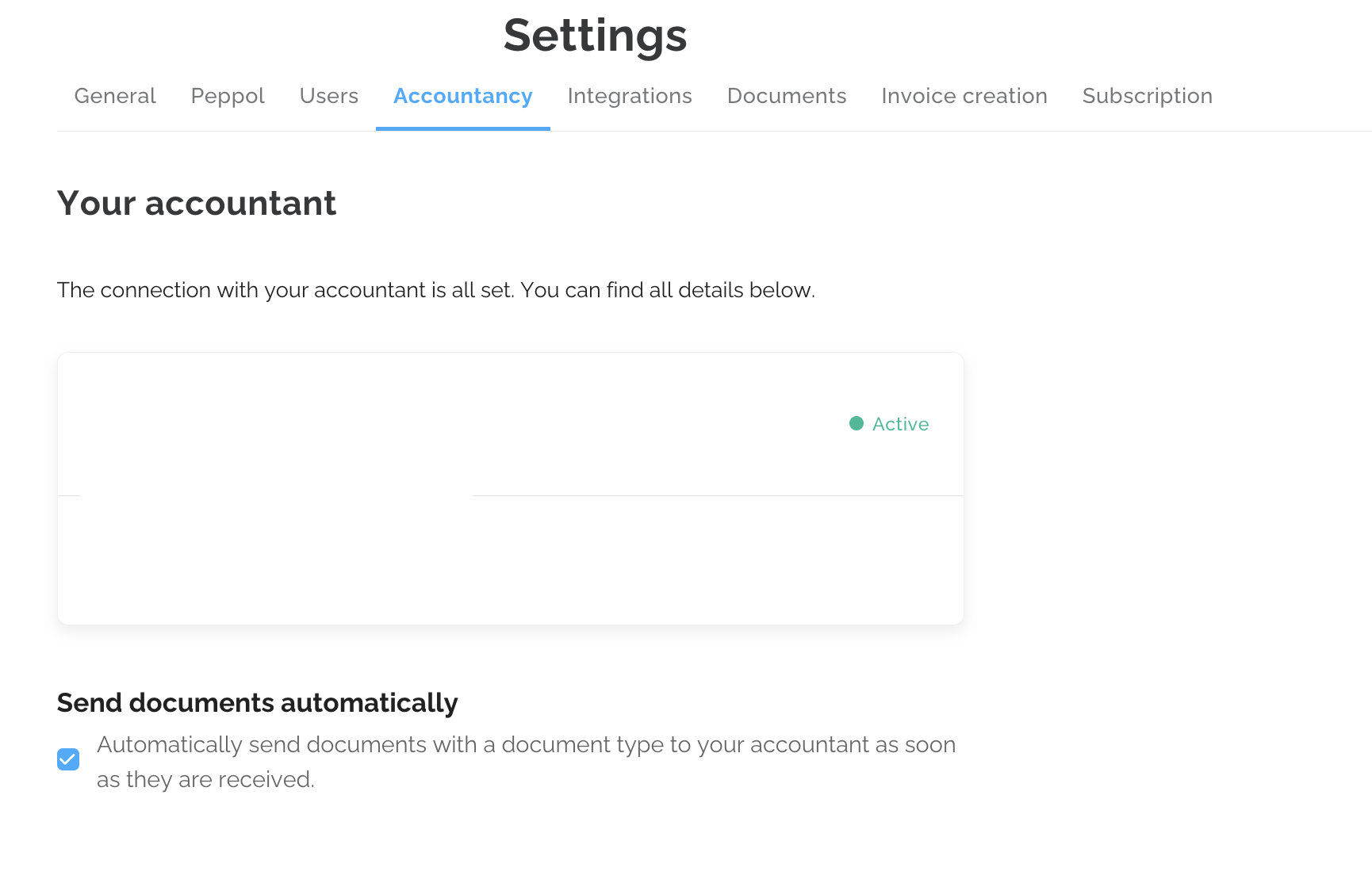
- Do check with the entrepreneur when they're a self onboarder whether the option to automatically send documents to the accounting software is enabled under 'Settings' > 'Accountancy'. Only the entrepreneur can verify this through their own companies' settings. If this option is not enabled, the system assumes that the invoice will be forwarded manually.
How can I delete a file from Lucy?
- A file cannot be deleted by the accountant (or the entrepreneur). To have it removed, you can contact the Customer Support team, who will take care of this for you.
How can I create a customer with a foreign VAT number?
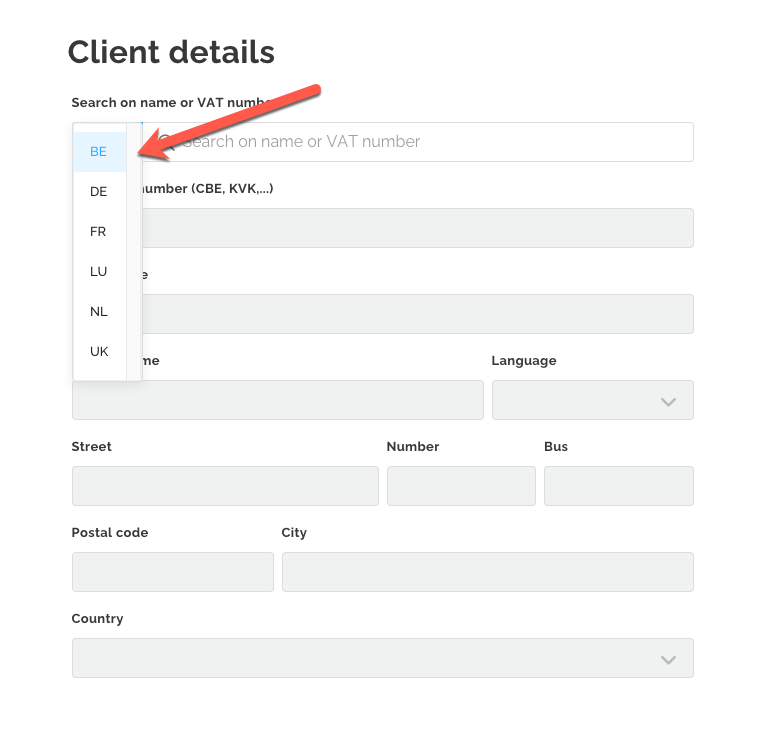
- When creating a new customer, you can enter a foreign VAT number by adjusting the country code in the field shown below.
What are the different user roles?
- As an accountant, there are three different user roles: Admin, No role and Contact.
With the Admin role, you can create files and invite clients individually or in bulk, as well as invite other colleagues from your office. In addition, as an administrator, you have access to all files in the portal and can also restrict access to certain files for specific colleagues. - If you do not assign a role when creating a new user, the permissions will be more limited than those of an admin.A user without a role will only be able to invite clients individually, not in bulk, and will be able to create files but will not be able to invite other users. They also do not have access to all files by default.
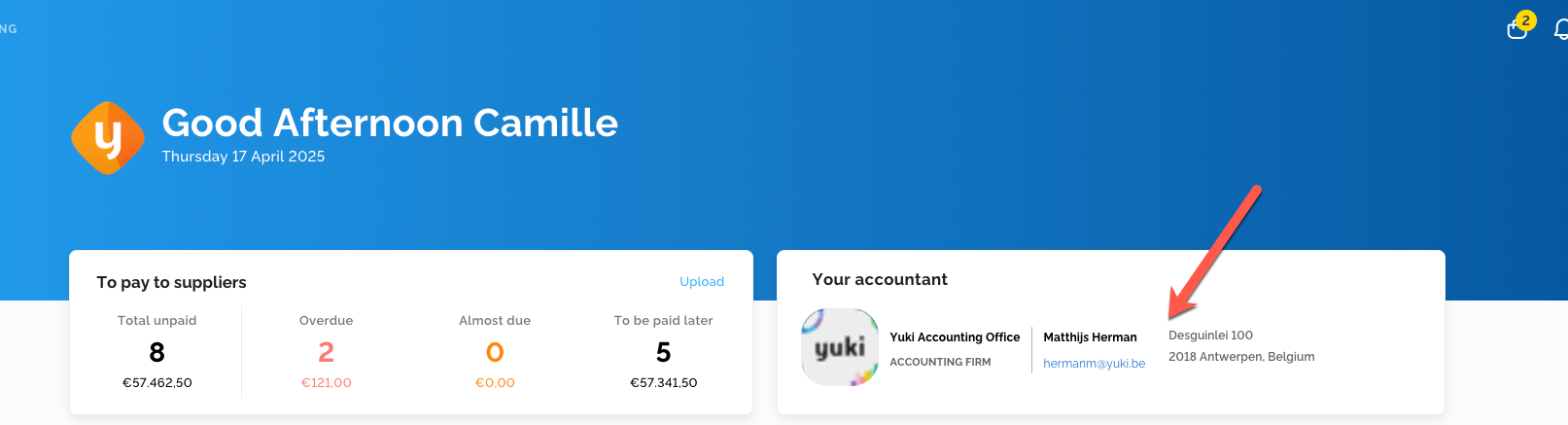
- The Contact role is considered an “extra” role. With this role, the accountant’s contact information is displayed to the entrepreneur in the field shown below. If you, as an accountant, do not want the entrepreneur to see your contact details, it is best to disable this role.
How can I change an entrepreneur’s email address?
- You can find the steps to change a customer's email address on the following support page: Changing the (login) mailadres of the client
Why do I receive the error message ‘customer cannot be linked’?
- When you try to add a customer from your portal who has already registered with Lucy via self-onboarding, you will receive an error message because the same company cannot be registered in Lucy twice.
Entrepreneurs who create their own account in Lucy can designate their accountant, which links their file to the accountant’s portal. The customer can do this by logging in, going to Settings → Accounting, and selecting you as their accountant.
How can I unlink a customer from my portal or remove them from my customer list?
- To remove a customer from your customer list, go to the customer’s General Overview and click on ‘Remove Link’. This will unlink the customer’s file from your portal and remove the integration with the accounting software. The user will also be removed from the file and the plan will be canceled.
You can only remove a customer from your list if their status is Active.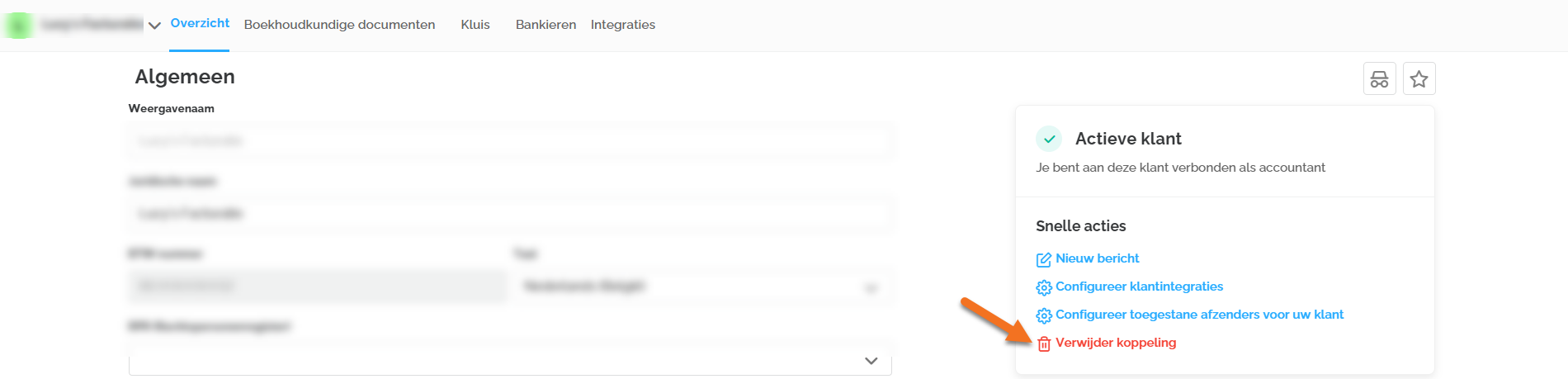
How can I access the billing module as an accountant?
- At present, accountants do not have access to the billing module from our portal. We understand the importance of being able to support your clients in this area. Therefore, we are exploring the possibilities of integrating this functionality into our software. We will keep you informed of any updates and solutions.
How can I select or modify my client's subscription?
- When your office uses OSS (One-stop-shop) pricing, it is currently not possible for an accountant to select or modify a subscription on behalf of a client. At present, only the client can do this via Settings > Subscription. We are exploring options to adjust this functionality in our software in the future.
My clients register on Lucy and designate me as their accountant, but I still do not have access to Lucy.
- If you are not yet using Lucy as an accountant, you will not have access to your portal to view your clients' files. You will receive access to the portal only after signing a contract. If you are already a Yuki partner, please contact your Customer Success Professional. If you are not a Yuki partner, contact us via the contact form on our website for further assistance: https://www.lucysoftware.eu/nl-be/demo