Each accountant has specific rights and capabilities depending on their role within the system. In this video, we’ll go into more detail about these roles and what they entail:
As an accountant, there are three different user roles: Admin, No role and Contact.
- Admin Role: With the Admin role, you can create files and invite clients individually or in bulk, as well as invite other colleagues from your office. In addition, as an administrator, you have access to all files in the portal and can also restrict access to certain files for specific colleagues.
- No Role: If you do not assign a role when creating a new user, the permissions will be more limited than those of an admin. A user without a role will only be able to invite clients individually, not in bulk, and will be able to create files but will not be able to invite other users. They also do not have access to all files by default.
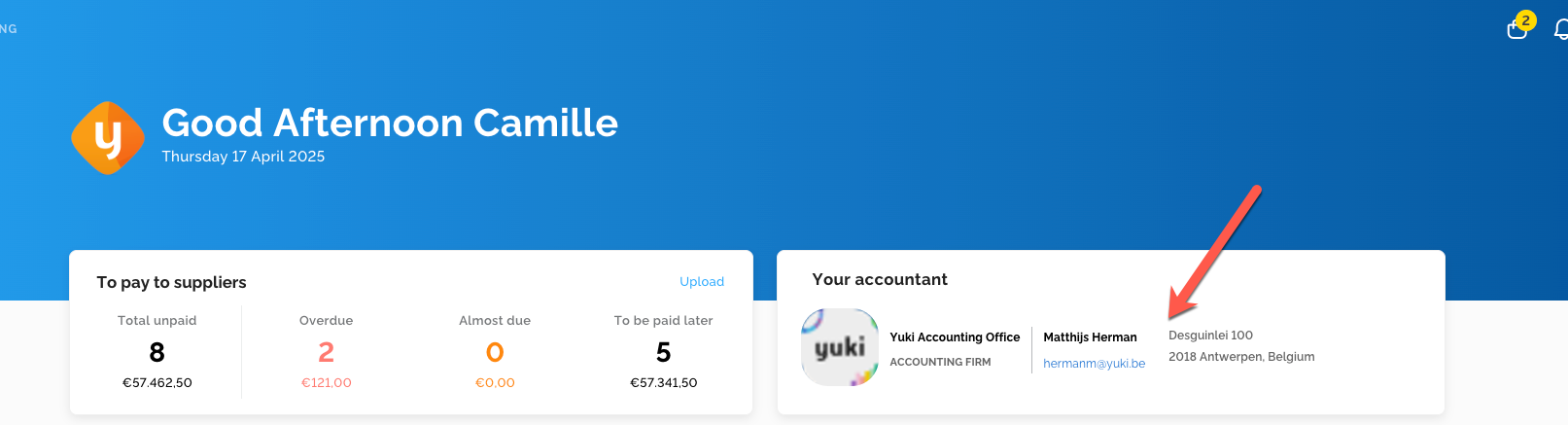
- Contact role: The Contact role is considered an “extra” role. With this role, the accountant’s contact information is displayed to the entrepreneur in the field shown below. If you, as an accountant, do not want the entrepreneur to see your contact details, it is best to disable this role.