There are two ways to integrate with Exact Online:
1. Email Integration
2. API Integration (NL or BE)
Email Integration
Identifiable by the blue circle with the send icon.

This integration uses EOL's functionality to receive specific documents via dedicated email addresses. You must retrieve the correct email addresses from EOL and paste them here.
Click here for more information about EOL's Digital postbox
Important: Ensure that you add our email address, noreply@app.getlucy.ai, to the allowed senders list in your EOL company file!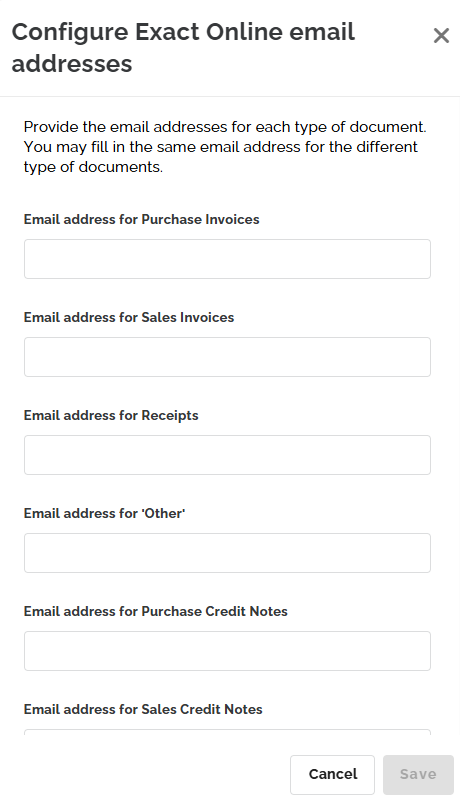
API Integration
At the portal level, you can choose between Exact Online NL and Exact Online BE, depending on whether your portal is hosted in the Netherlands or Belgium.

How it works?
By configuring the Exact Online integration, documents sent by your clients are received directly in the digital mailboxes of their respective EOL files.
Setup Guide
Important: Create a new user in Exact Online specifically for the Lucy integration. If the account is shared with other applications or users, the connection may be interrupted.1. Create a dedicated user: Create a new "Lucy office user" in Exact Online.
2. Connect: In your Lucy portal, navigate to the Integrations tab, choose the appropriate Exact integration, and click 'Connect'.
3. Log in: The Exact Online login page will appear. Log in with the specific Lucy office user credentials.
4. Authorize: Grant Lucy permission to perform the listed activities.
5. Confirmation: Once the status shows 'Active', the portal-level integration is complete.
6. Link Clients: Go to 'Clients' > 'Integrations', select the correct EOL company file, and click 'Save'.
If you use the Exact Online Scan Service for this file, remember to check that box.
FAQ
- My invoices have the 'Failed' status. If I try to resend them, they remain 'Failed'. This means the EOL server rejected the invoice. Possible reasons:
- The invoice was already submitted (EOL duplicate check).
- There is a connection issue. Check the integration status at both the client and portal levels.
- The uploaded file is larger than 10MB and is being rejected by Exact. Please reduce the file size and upload it again.
- The integration status at the portal level is red. What should I do?
Disconnect the integration and reconnect using the dedicated Lucy user. Your existing client-level connections will be preserved during this reset. If this doesn't work, contact support.
- Some invoices are not coming through.
Check the filenames of attachments. Symbols like an extra period (e.g., Terms.Conditions.pdf) are not allowed by EOL. Use Terms_Conditions.pdf instead.
- My invoices are 'Rejected' when sent to Exact Online.

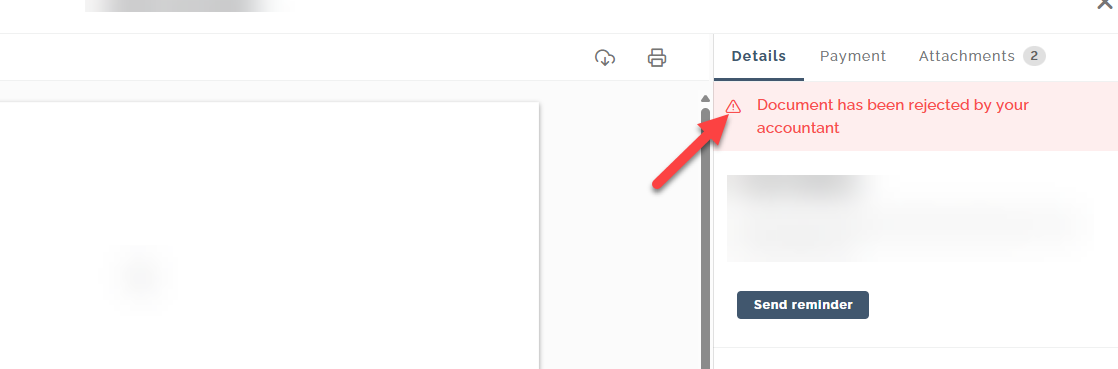
When the EOL Scan Service is off, EOL posts the XML immediately. When it's on, EOL provides a booking proposal based on the PDF. As of Jan 1, 2026, PDFs are no longer mandatory in XML invoices; however, we have noticed EOL Scan Service rejecting these XML-only files.
Update 19/02/2026: We are in talks with Exact Online to resolve this.