The dashboard is your central hub within Lucy. It allows you to monitor key administrative indicators at a glance. What you see on your dashboard depends on your specific subscription plan.
Different Views per Plan
1. Lucy Inbox & Lucy Facturatie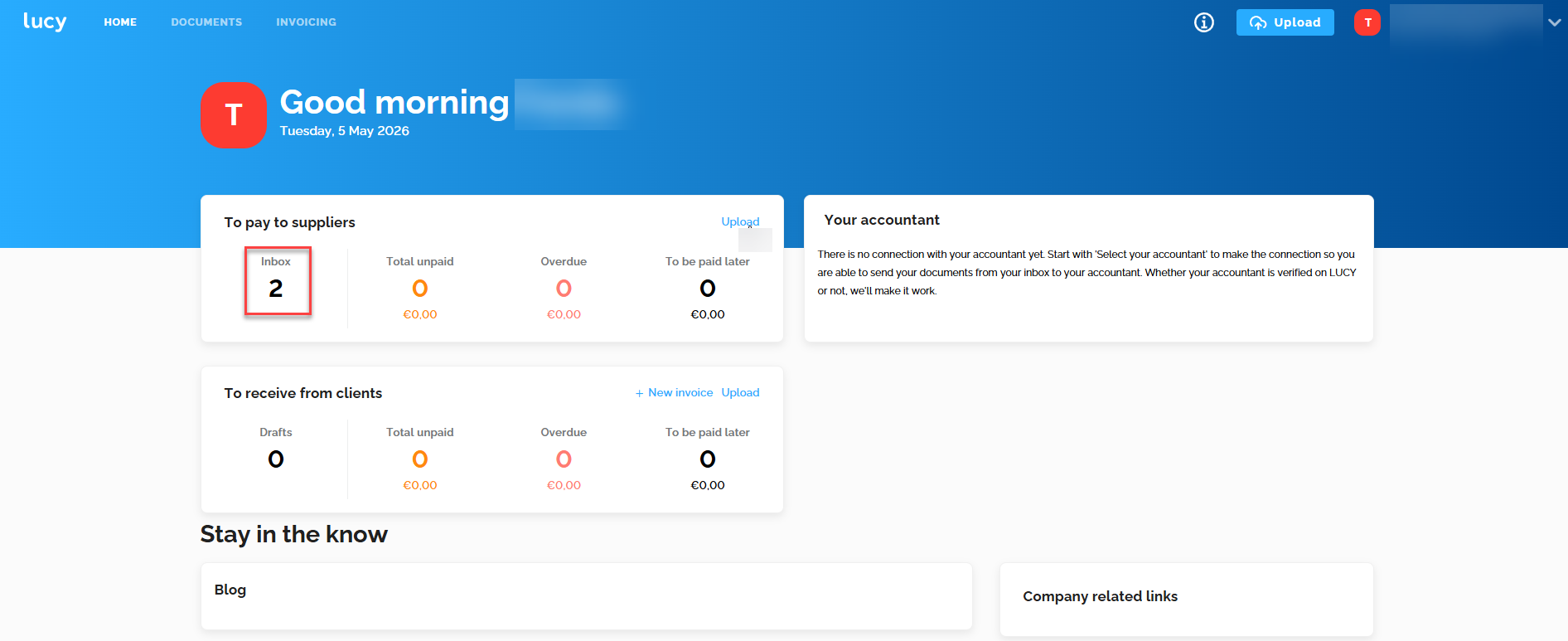
- Inbox Status: Instantly see how many new purchase and sales invoices are waiting in your inbox.
- Why are sales invoices also showing in your "To pay to suppliers" inbox? That is normal. The Lucy inbox contains both your purchase invoices and sales invoices together.
- Click on the figures to navigate directly to the corresponding documents.
- Please note: Archived documents are not included in these totals; the dashboard only shows what still needs to be processed.
2. Lucy Business & Lucy Business Pro
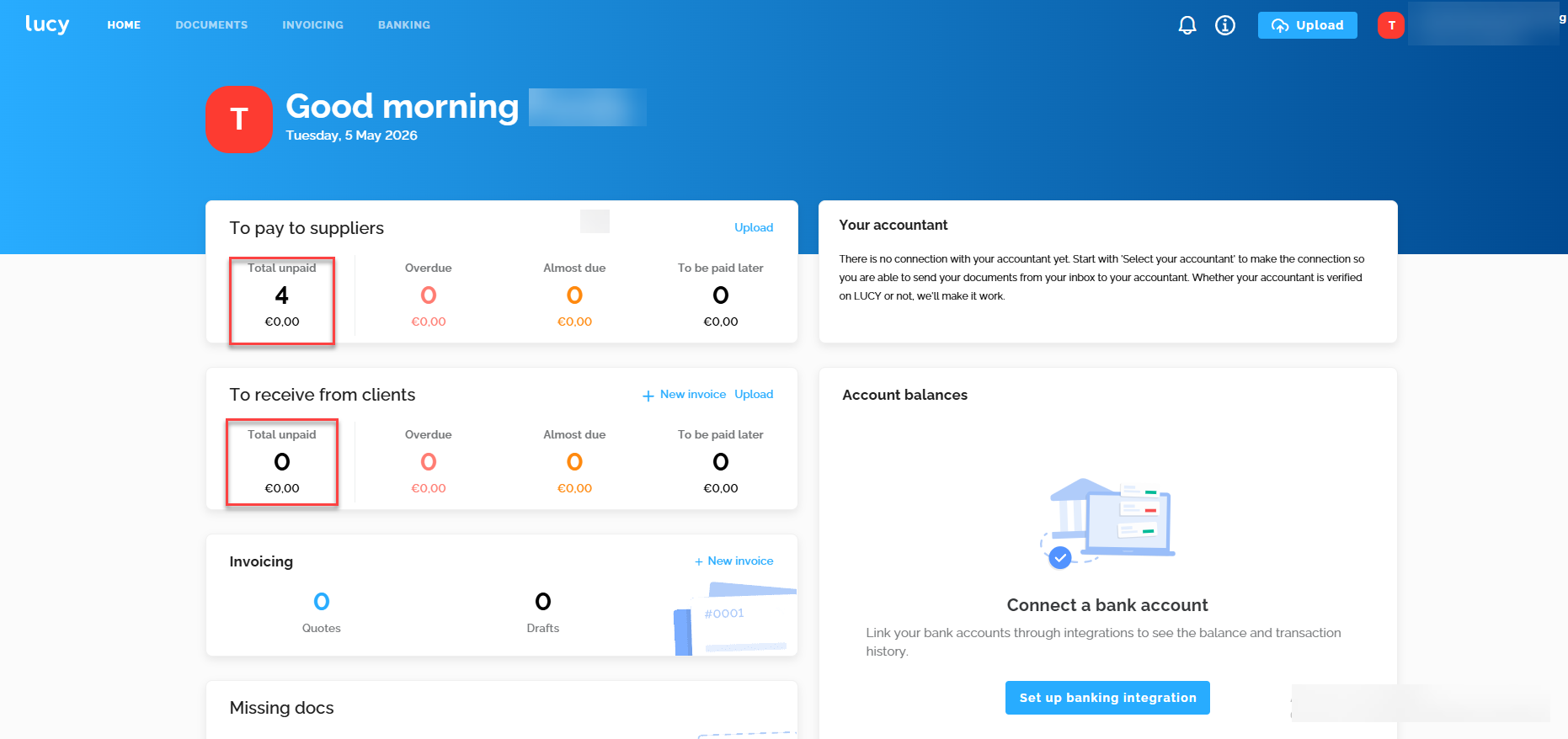
From the Business plan onwards, you receive a more comprehensive financial overview:
- Outstanding Items: Instead of just the inbox, the dashboard displays outstanding customers and suppliers.
- Invoice Status: Gain direct insight into total outstanding invoices, overdue payments, and invoices due at a later date.
- Bank (from the Lucy Business Pro): Easily set up your Codabox bank link and consult the list of missing invoices. Find more information here.
Direct Actions on the Dashboard
You can take action directly from the main screen to keep your administration up to date:
- Upload Documents: Use the central 'Upload' button to add files.
- Create Sales Invoice: Click the '+ New invoice' button under the "Receivable from customers" section to create an invoice immediately.
Communication and Information
At the bottom of your dashboard, you will find additional resources to support you:
- Accountant Info: The contact nformation of your accountant.
- Lucy Blog: Useful articles and tips.
- Business Links: Quick links to relevant external websites and resources for your company.