When you, as a business owner, decide to stop using the software, please follow these steps.
1. Unregister from Peppol
It's important to unregister your company from the Peppol network in Lucy so that you can register it with another software.
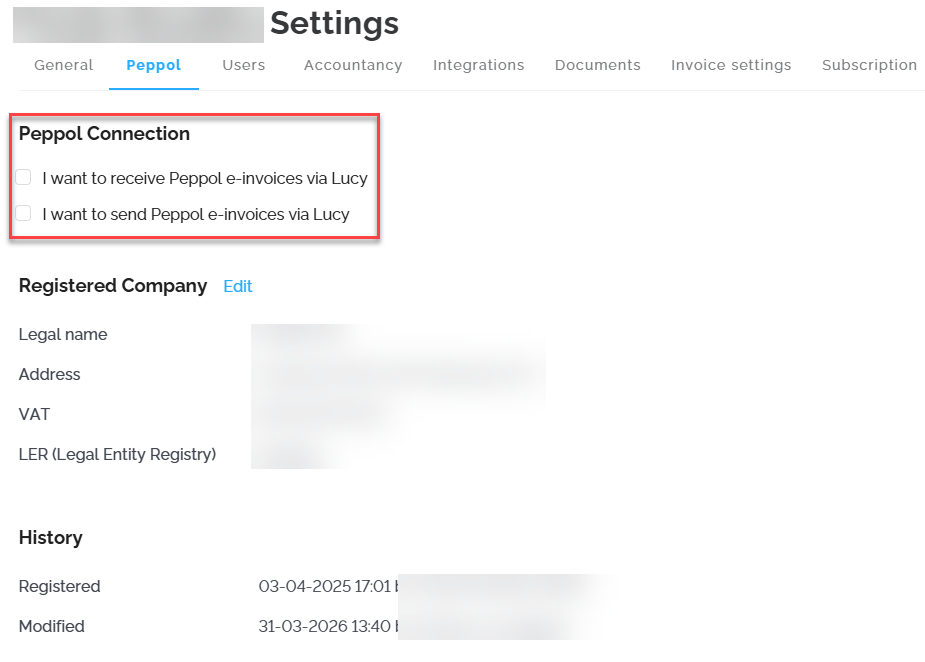
- Go to Settings, navigate to the Peppol tab, and uncheck both boxes.
2. Document Export
If documents have already been created or received in your Lucy environment, make sure to export all these documents for your own records.
Currently, it is not possible to export the client list and/or articles list in Lucy.
- Accounting
In the Documents section, go to Accounting and select the overview All. Check the box next to "location" to select everything. Click Download to obtain a .zip file. In the downloaded .zip file, you'll find all your invoices in PDF format and XML format, if available.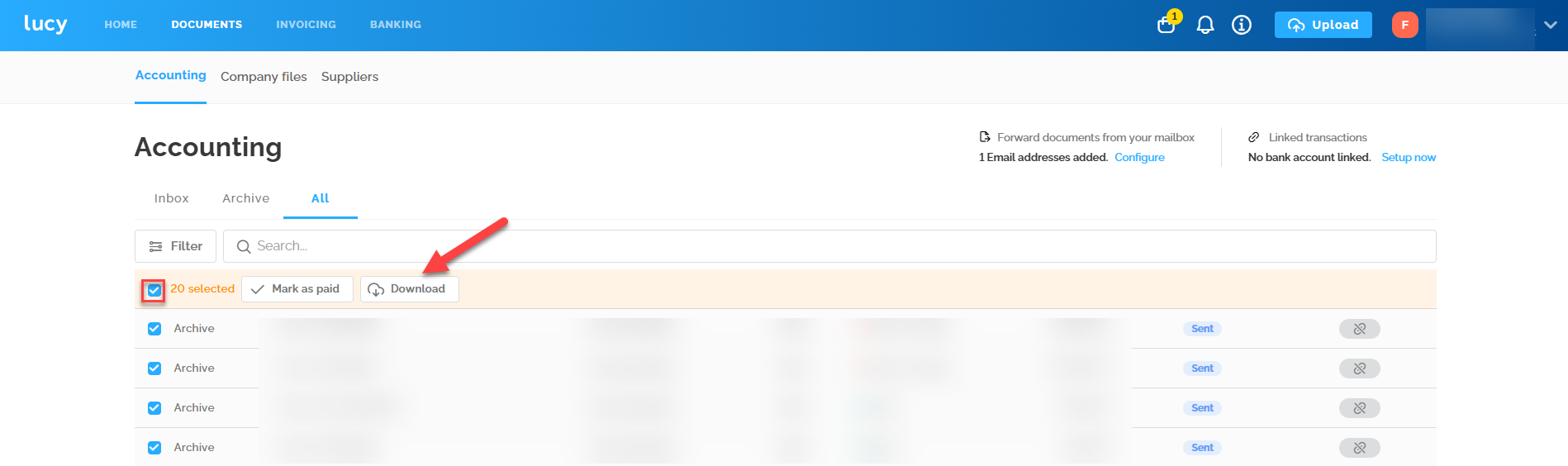
- Company files
In the Documents section, go to Company files. Check the box next to "name" to select everything. Click Download.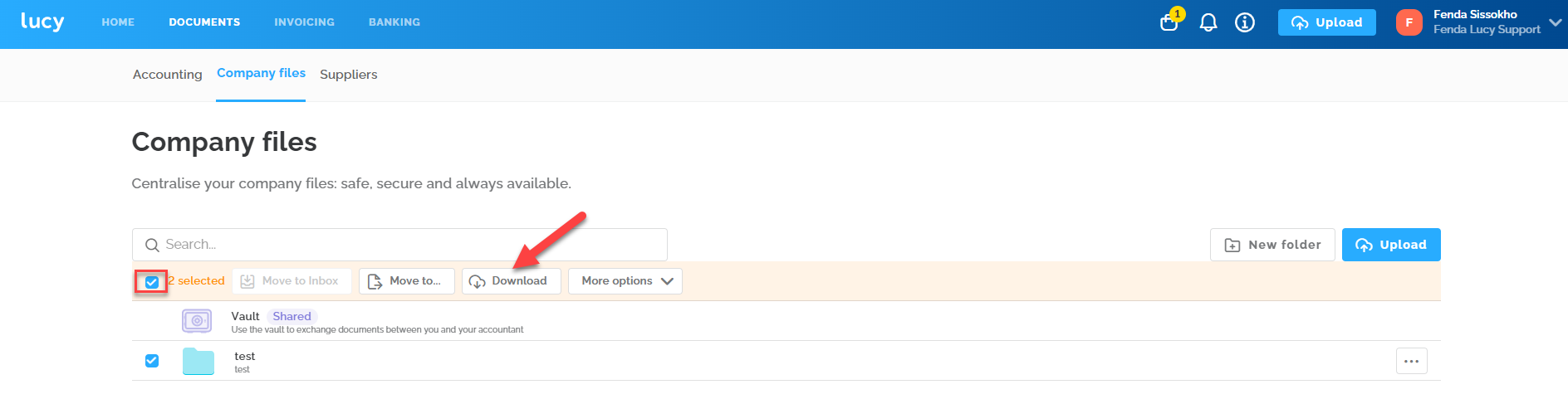
3. Cancel Subscription
Then cancel your current subscription to stop payments, which are processed via direct debit, at the end of the month. After canceling your subscription, you'll still have access to your files until the end of the month.
- Go to Settings under the Subscription section and click “Cancel Plan” at the bottom.

4. Deleting Your Company from the Lucy Platform
If you want to completely remove your company from the Lucy platform, it's necessary to contact our Support. Please note that once your company is deleted, you will no longer have access to your files. Therefore, make sure to take the necessary measures to retain important information before submitting this request.
Important: The archive remains available for reactivation for 6 months. After 6 months, everything will be permanently deleted.