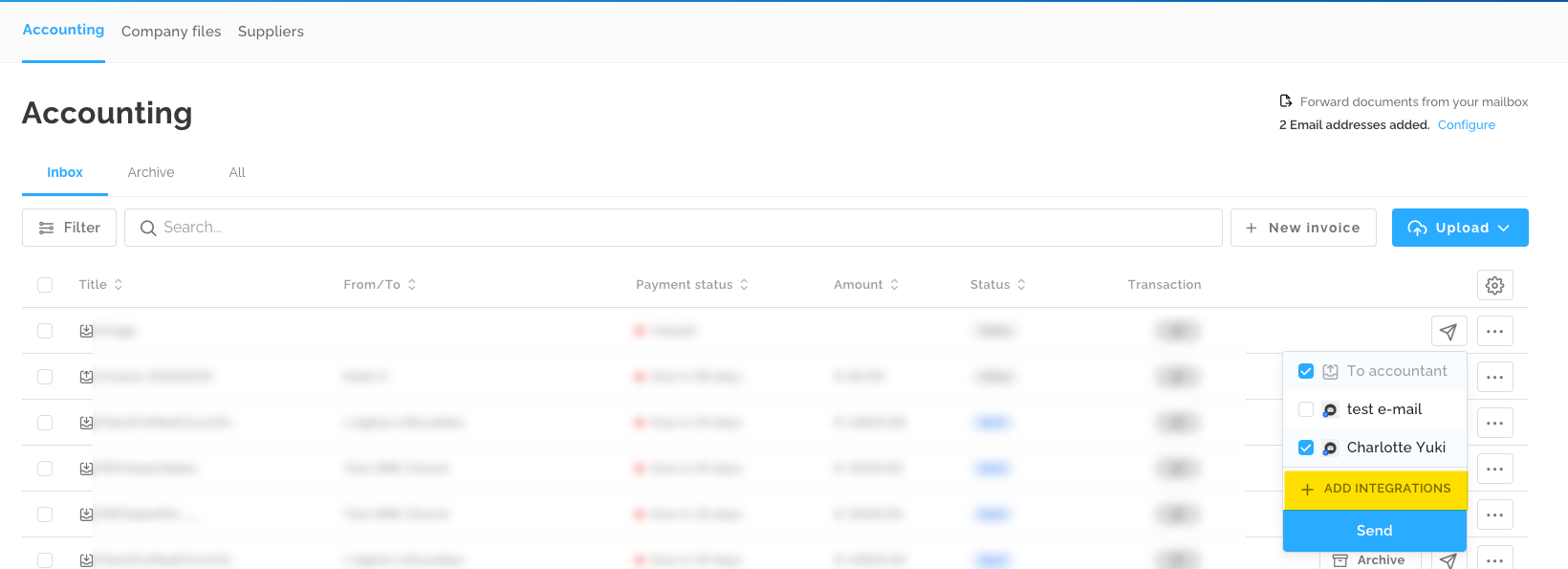
With the Multisender functionality, you can send your incoming and outgoing invoices to multiple destinations at the same time. The Multisender (manual) can be used starting from the Lucy Business subscription.
Here are the main features:
- The entrepreneur can choose from all their configured destinations. The accountant is a separate integration and is automatically checked if the document has not yet been forwarded. This option disappears automatically once the document has been sent.
- The number of additional integrations is limited to 5.
- It is possible to set an integration as the Default. This will then be automatically checked when sending and will also be sent automatically if you choose to send immediately.
You can add an integration from the inbox by clicking on the send icon and then on +ADD INTEGRATIONS. You can also go to the domain settings to add an integration.
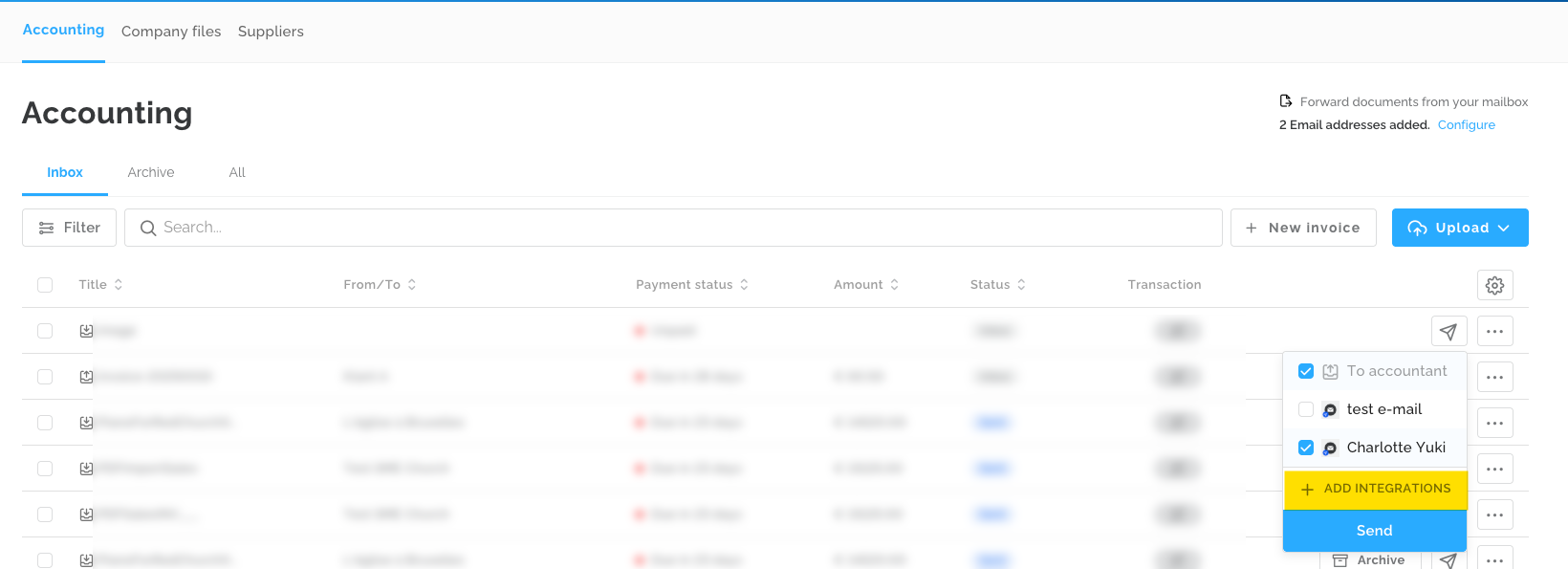
You will then arrive at the screen below, where you can click on Send To E-mail to add a destination.

In the screen below, you can then click on Configure.

In the screen below, you can assign a name to this destination along with the corresponding email address. You also have the option to check a box to mark it as the default. If selected, it will be automatically checked when you want to send (if you wish to send immediately), and the document will also be sent automatically.

Once you have added destinations, they will be displayed when you click the send icon in the Inbox. The default destinations will already be checked, and you can also select any additional ones if needed.